This term for inquiry our topic is based on Space. Since we are studying about the Solar System, Mr Johnston came into our class and taught us a heap of information about Space, by using Google Earth. Google Earth is a similar site to google maps, but instead you can measure from a distance. To complete this task we were to, start from a specific place and measure the distance, by using the meters of each planet. Victoria, Nyjah, Marieta and I worked collaboratively to get this done. We started from the our school theater. The red lines are the distances from our school. The yellow pin shows where each Planet from our school is stated. I found it interesting that the Earth was located at near our school at Dunkirk Park.
I am a Year 8 student at Panmure Bridge School in Auckland, NZ. I am in Learning Space 2 and my teacher is Mrs Anderson.
Thursday, 16 May 2019
Monday, 13 May 2019
New Zealand Sign Language Week
In New Zealand we have a very important week, which is called Sign Language week. Sign Language week symbolises the deaf community, which gives them the understanding of their language and culture. To communicate with this language, they use body movements, hand signs, and face expressions. Above shows the completed presentation that I created, based on what NZSL is, facts about NZSL, and the greetings. I have imported a video that explains the different hand signs of different greetings. New Zealand has 3 official languages, which are: English, Maori, and Sign Language. This week is held from the 6th of May to the 12th of May. Did you know that more than 24,000 New Zealanders are using Sign Language everyday.
Thursday, 9 May 2019
How to draw a image using your google draw tools
What you will need:
- Chromebook/ Device
- Image
- Internet
- Login to your device with your drive opened.
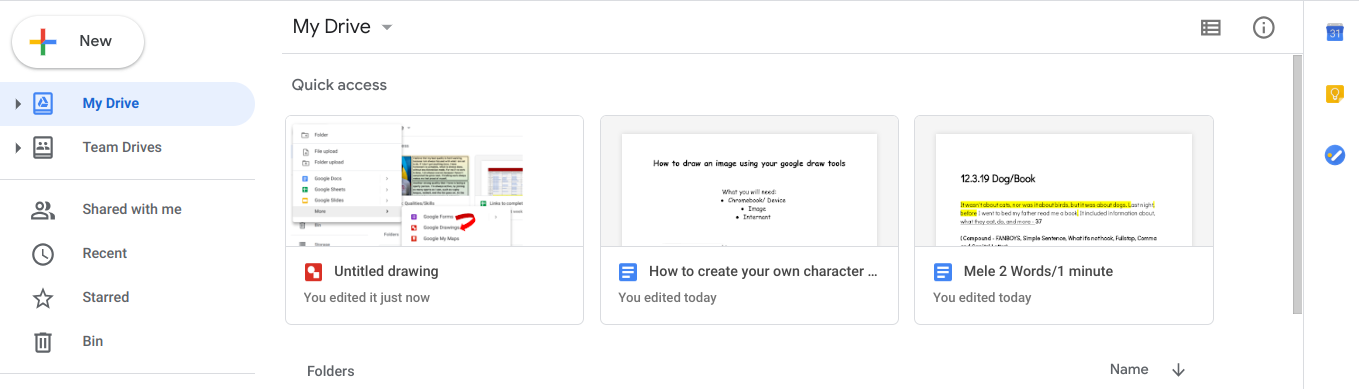
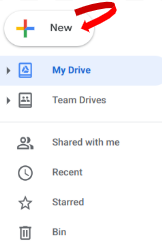
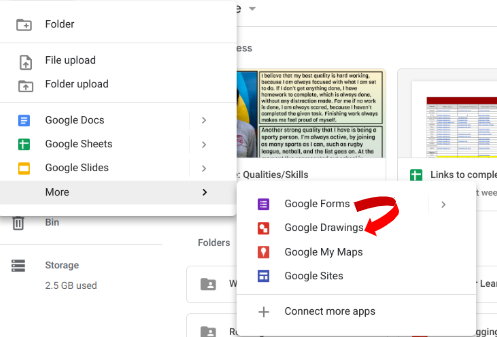
2. Click new, which is located on the top left, to create your google drawing.
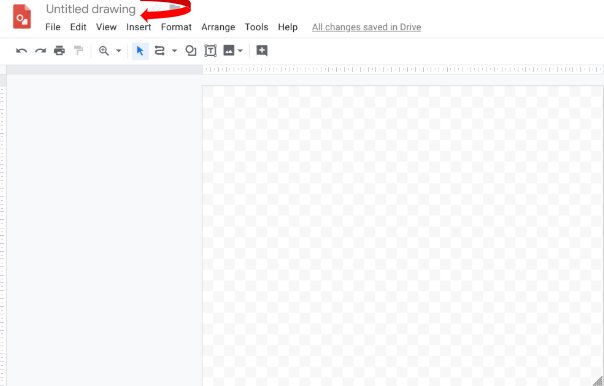
3. Give your google drawing a title.
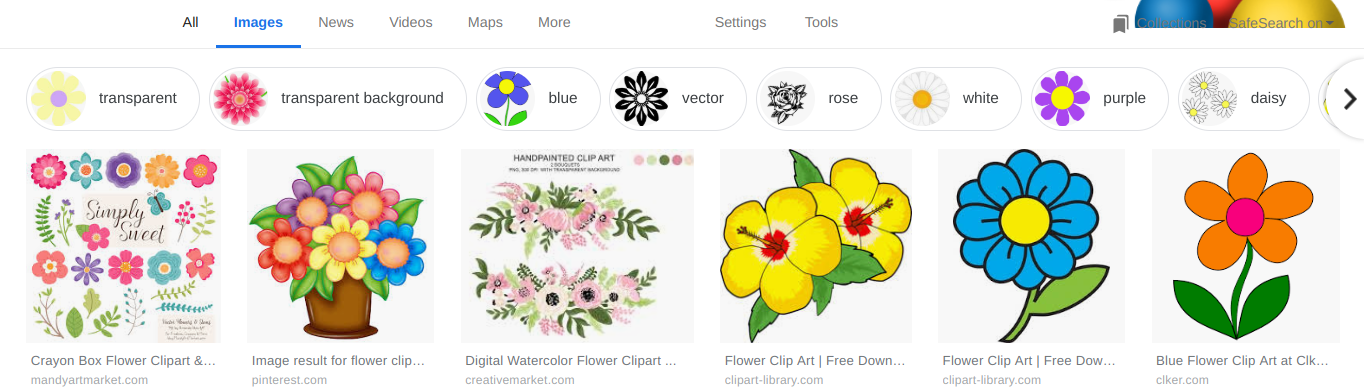
4. Using your address bar, type in Flower clipart for an image.
5. Click on Images, for a variety of pictures.
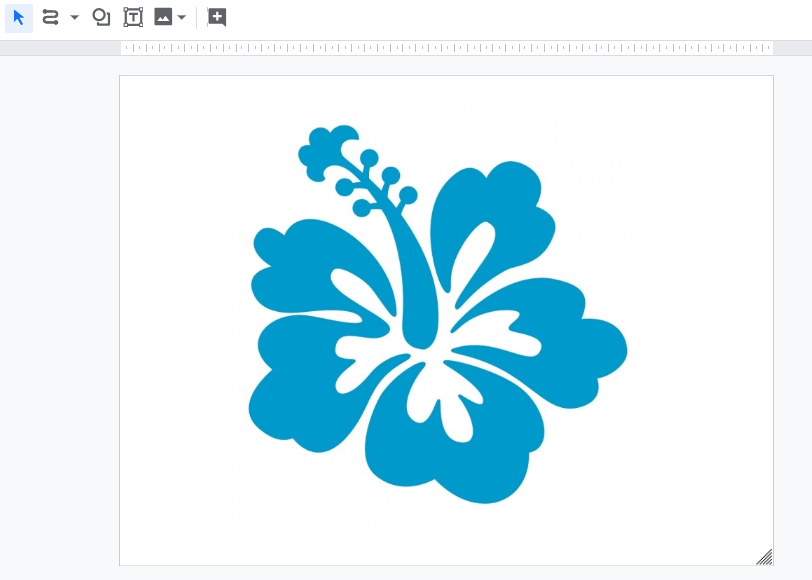
6. Choose any image that interests you.
7. Place your image onto your google drawing.
8. Zoom into your image, to make your drawing easier.
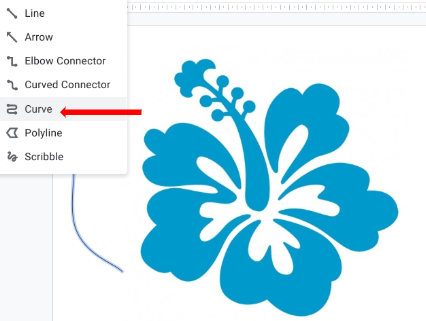
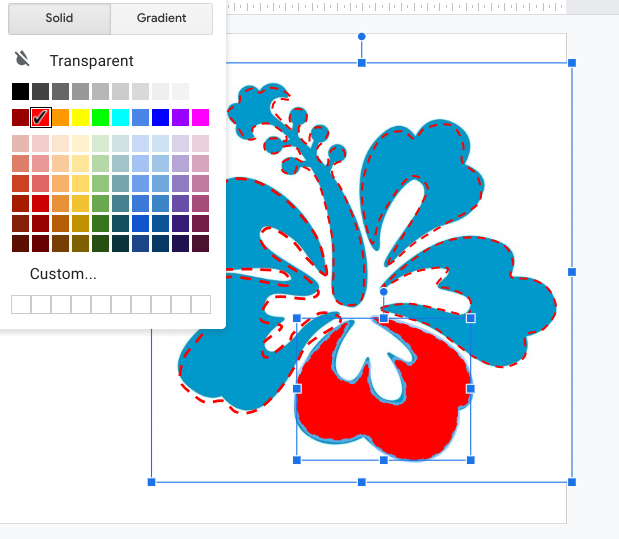
9. Click Select Line and pick the Curve button. There are many to choose from, but curve is good to use for most drawings.
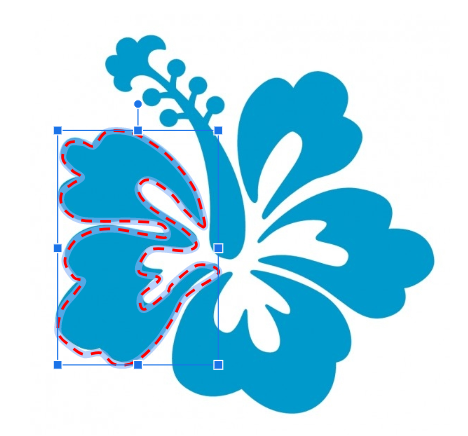
10. Starting from anywhere, use your cursor to curve on the outside of the flower slowly.
( Where the RED outline is)
11. Take your time, while drawing each part. Remember that there is no need to rush.
12. Select Fill Colour and choose the colour of your choice.
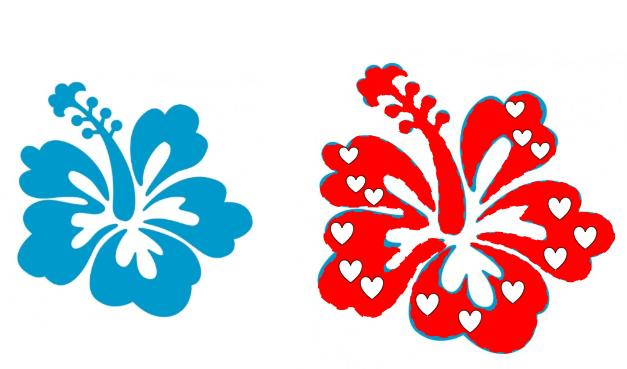
13. Add any extras to your flower, by clicking on the shape button. There are lots of shapes, so start decorating.
14. Using your left and right buttons on your keyboard, move your image, to compare your drawing to the real one.
______________________________________________________________
So far, this term LS2 has been learning about how to write procedural texts based on different topics. Last week I wrote a procedural text about how to make a Hangi. This week I have written a procedural text based on how to draw a image using your google drawing tools. We were to add images and make sure that our instructions were simple and exact. If you are writing a procedural text you will need a title, list of equipment/materials, numbers, steps in time order, simple and exact sentences, adverbs, and verbs. The one thing that I found interesting is that I am able to understand what a procedural text is and how you write it.
Labels:
Drawing,
Instructions,
LS2 2019,
Mele 2019,
procedural text,
Steps,
Writing
National Young Leaders Day
As an excitement Ms Kirkpatrick, Mr Shaun, and the school leaders went to the Vodafone Events Center for the National Young Leaders Day. National Young Leaders day is a day where all leaders from each school gather together to learn the key competences about what a leader is. There were amazing speakers that spoke to us about their leadership journey, which were: Ronnie Taulafo
( What Now TV Show), Dr Lehan Stemmet, Hana Tapiata, Christian Gallen, and Kings. Our hosts of the day were Liz Alexander, and Phill Baker. Each person spoke about their leadership journey and what it really meant to them. My favourite quote of all was " Communicate to lead, Communicate to connect". One lesson that I learnt was to accept, appreciate, and respect, others. If I was to make the world a better place for someone I would accept their forgiveness. We all learnt what the Korero (food) of a leader is, which meant having conversations. When we have important conversations, we listen, learn, and lead with each other. After each session 5 students had the chance of asking a question to each speaker. My favourite part about the National Young Leaders Day was Christan Gallen's speech, because his jokes were funny, and his leadership journey catched my attention towards what he was saying.
Friday, 3 May 2019
Metal work with Mr Naicker
Today LS2 completed their first session of Tech at Tamaki College for Term 2. It was great to be back at tech finishing off our designs. The year 7's continued with Mr Grundy by finalising their designs, the year 8A continued with Ms Fergsuon by painting their clocks, while the year 8B are with Mr Naicker and are currently filing their pizza cutter/cake server. I am with Mr Naicker. Most people are still filing their designs, while some are filing their pizza cutter, or cake server, which means that their handles are already done. At the moment I am filing the pizza cutter of my design. I was previously using sandpaper to make the handle of my pizza cutter more smooth.
Labels:
Fileing,
LS2 2019,
Mele 2019,
Metal Work,
Tech at Tamaki College
Thursday, 2 May 2019
Mele... I am an ' Agent of Change'
In Panmure Bridge School, we have an Agent of Change sign that symbolises the changes that we can make to our learning. It helps our students develop their learning, by setting/challenging goals for themselves. LS2 has been overcoming their goals, by becoming an Agent of Change, during their learning time. Above shows the google drawing that I created, based on what I can do to become an Agent of Change for Panmure Bridge School. I included what an agent of change is, what I would do to become one, and how I will make it work. The meaning of an Agent of Change is someone who makes switches to their learning opportunities.
Labels:
Agent of Change,
Goals,
LS2 2019,
Mele 2019,
Setting Challenges,
Writing
Multiplication Problem
This week for Maths, LS2 used different types of strategies to solve different story problems. The strategies that I have used this week are reversibility, place value, and lattice. Above shows a created DLO and screencastify that I completed. For this story problem I was to work out 2466 x 6. I used the place value strategy for this problem, because it was the easiest one that I could use. The place value strategy included the ones, tens, hundreds, and thousands columns, because I was solving a 4 digit by 1 digit number. I have created a screencastify that shows you how I solved this cupcake problem.
Subscribe to:
Posts (Atom)